Never Lose Your Cursor Again
Ever find yourself wiggling your mouse just to figure out where your cursor went? A small cursor on a large screen can be surprisingly hard to track.
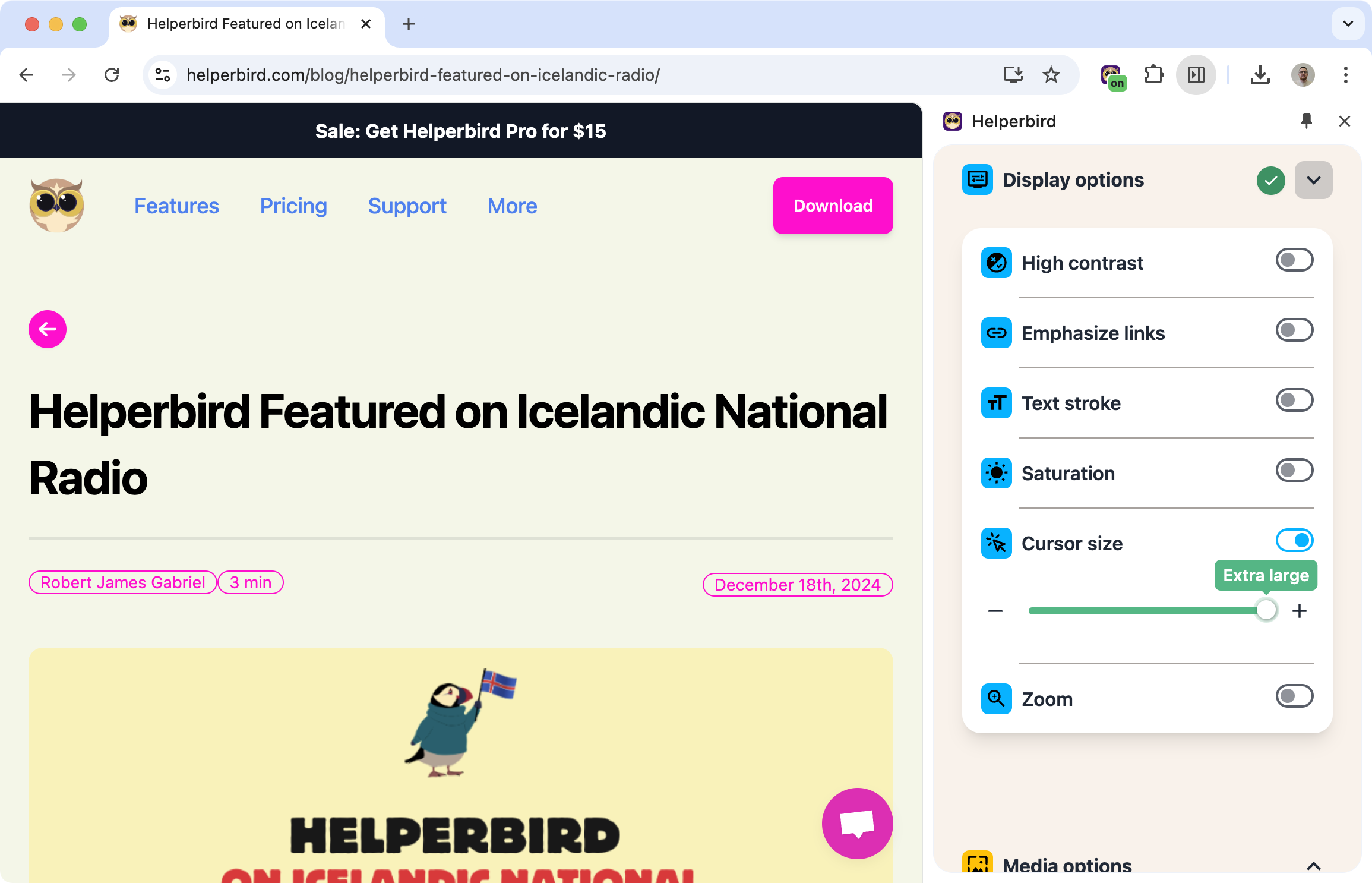
Helperbird lets you make your cursor bigger, so it's always easy to spot.
Learn how to change your cursor size
Related features
- Page Zoom & Magnifier - Magnify the entire page alongside a larger cursor for complete visual enhancement.
- Font Size Control - Enlarge text while making your cursor easier to locate on the page.
- High Contrast Mode - Apply contrast enhancement to make both text and cursor stand out clearly.
Three Sizes to Choose From
Pick what works for you:
- Small: Standard cursor size
- Medium: Noticeably larger, easier to track
- Large: Much bigger, ideal for low vision
The change applies to all websites, so your cursor stays consistent as you browse.
Why This Helps
Low vision: A bigger cursor is simply easier to see.
Large monitors: The bigger your screen, the easier it is to lose a tiny cursor.
Reduce eye strain: Less time hunting for your cursor means less strain on your eyes.
Motor difficulties: A larger target is easier to position accurately.
Who Uses This
People with low vision who need a more visible cursor.
Users with large or multiple monitors where a small cursor gets lost.
Anyone who just prefers a bigger, easier-to-see cursor.
Is This Free?
Yes. Custom cursor size is free in Helperbird.

