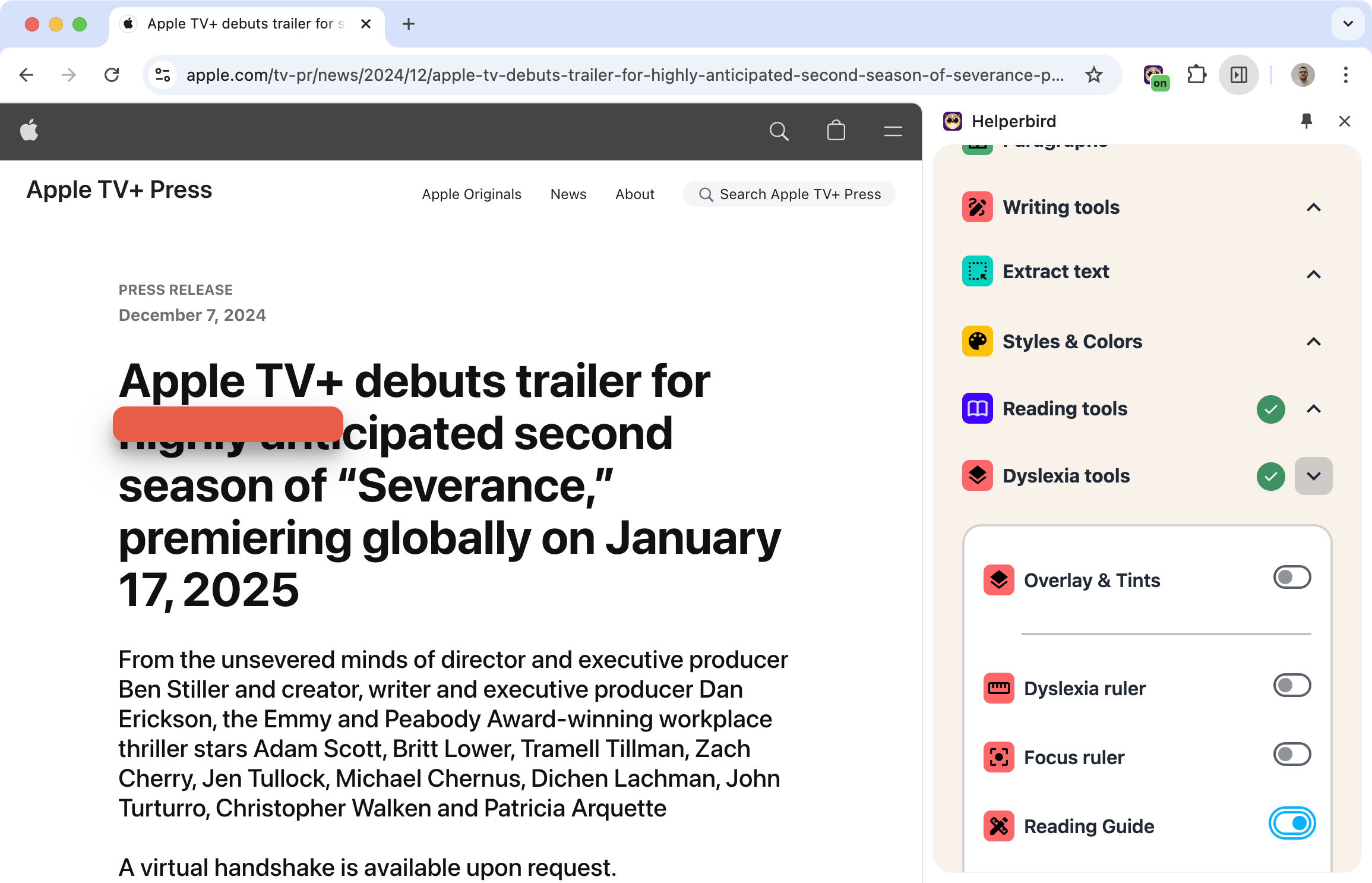

Keep Your Place While Reading
Reading long blocks of text online, it's easy to lose your place. Your eyes drift to the wrong line. You re-read the same sentence twice.
The reading guide adds a horizontal bar that follows your cursor. Move down the page, and the guide moves with you. Your eyes always know where to look.
Learn how to use the Reading Guide
Related features
- Ruler - A colored bar that highlights the line you're reading.
- Color Overlay - Add a tinted background to reduce visual fatigue and eye strain.
- Paragraph Borders - Visually separate paragraphs to make text structure clearer.
What You Can Customize
Color: Pick any color that helps you track your position without being distracting.
Width: Make it thin and subtle or thicker and more visible.
Transparency: Adjust how solid or see-through the guide is.
Lock position: Keep the guide in one place if you prefer.
How It Helps
Prevents line skipping: Your eyes won't accidentally jump to the wrong line.
Reduces re-reading: You know exactly where you stopped.
Less mental effort: Instead of actively tracking your position, the guide does it for you.
Supports dyslexia: Visual guides help many readers with dyslexia maintain their place in text.
Who Uses This
Readers with dyslexia who benefit from visual tracking aids.
Anyone who loses their place while reading online.
Students reading long articles or textbooks.
People with ADHD who find it hard to maintain focus on text.
Is This Free?
The basic reading guide is free. Advanced customization options are available with Helperbird Pro.

