A Ruler for Your Screen
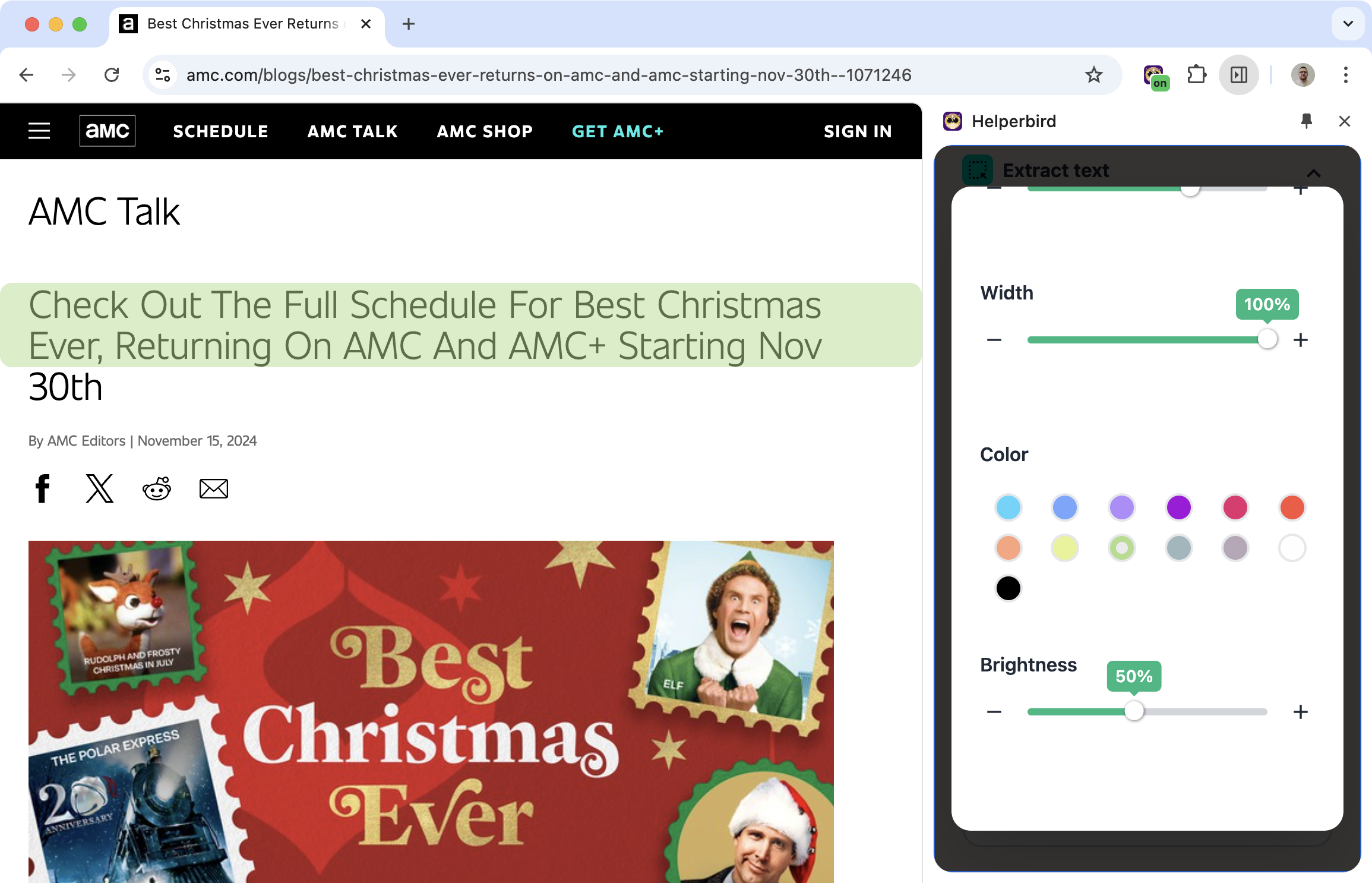
Physical reading rulers have helped people with dyslexia for years. You place the ruler under the line you're reading, and it helps you focus on that line without getting distracted by the rest of the text.
Helperbird's digital ruler does the same thing on your screen. A colored bar highlights the line you're reading, helping your eyes stay focused.
Learn how to use the Dyslexia Ruler
Related features
- Reading Guide - Keep your place while reading with a cursor-following horizontal guide.
- Color Overlay - Add a colored tint to reduce visual stress and eye strain.
- High Contrast Mode - Improve text visibility with stronger contrast between text and background.
What You Can Customize
Color: Pick any color that helps you focus. Some people prefer yellow, others blue or pink.
Size: Adjust the height to match the line height of the text you're reading.
Position: Move the ruler to wherever it helps most.
Lock: Keep it in one place, or let it follow your cursor.
Why Rulers Help
For many readers with dyslexia, text doesn't stay still. Letters move, lines blur together, the eye jumps around without meaning to.
A ruler provides an anchor. It says "this is the line you're on." Everything else fades into the background. The brain can focus on processing one line at a time instead of being overwhelmed by the whole page.
Who Uses This
Readers with dyslexia who find text overwhelming.
People with visual tracking difficulties who lose their place easily.
Anyone who finds it helpful to focus on one line at a time.
Is This Free?
Yes. The Dyslexia Reading Ruler is free in Helperbird.

