
Talk Instead of Type
Sometimes typing is slow. Sometimes it's painful. Sometimes you just think faster than you can type.
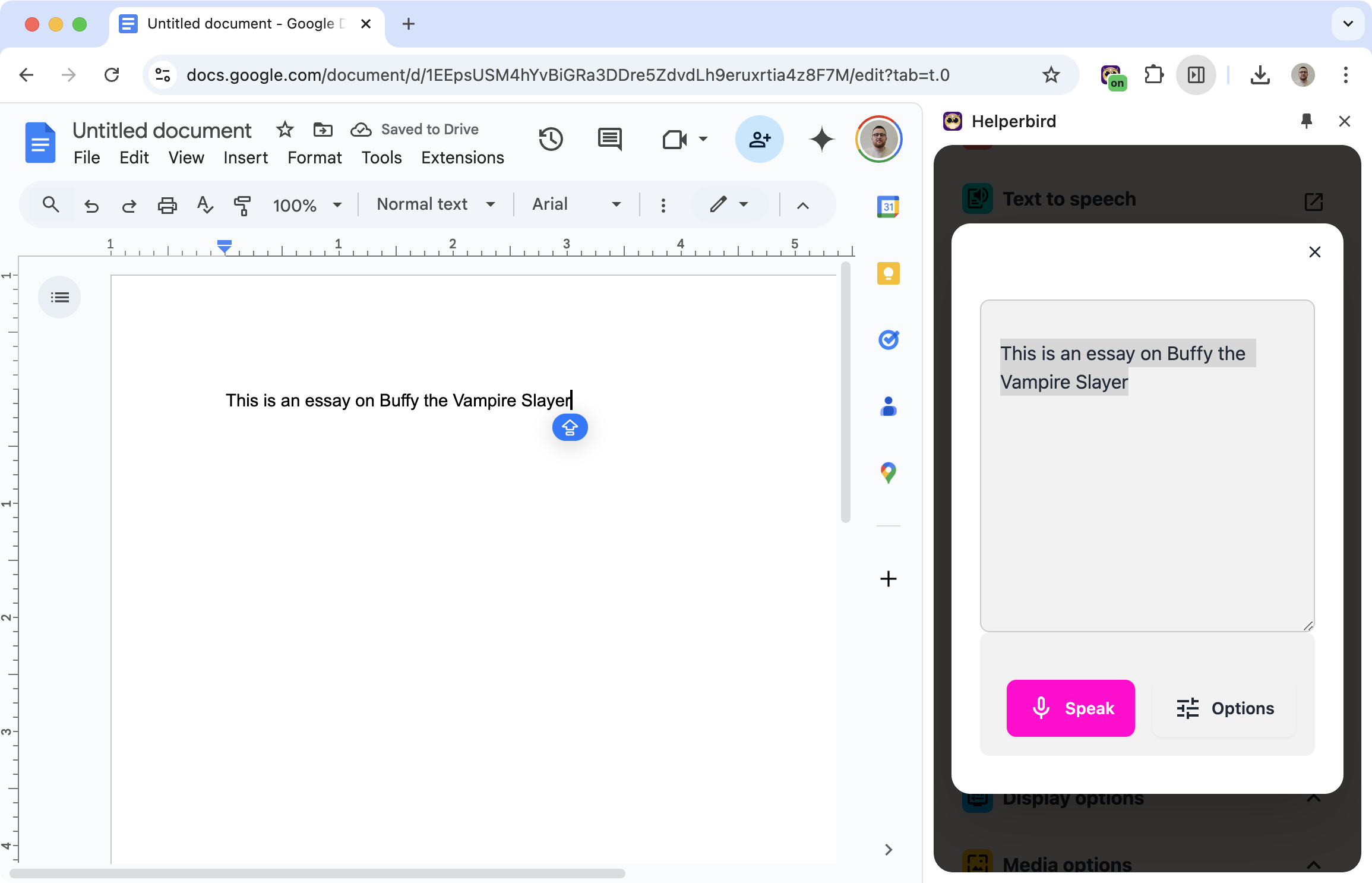
Voice typing lets you speak into your microphone and see your words appear as text. Dictate an email, write a document, take notes - all without touching the keyboard.
Related features
- Speech to Math - Dictate maths, chemistry, and physics and get properly formatted notation.
- Word Prediction - Get smart suggestions as you type to write faster and reduce errors.
- Spelling & Grammar Checker - Catch mistakes as you type before sending emails or documents.
- Notepad - Write and organize notes directly in your browser without switching apps.
How It Works
- Click the voice typing button
- Start speaking
- Watch your words appear as text
- Edit if needed, then use the text wherever you want
Works with Gmail, Google Docs, and most text fields you'll encounter online.
40+ Languages
Voice typing works in:
English, Spanish, French, German, Italian, Portuguese, Dutch, Russian, Japanese, Korean, Chinese, Arabic, Hindi, and many more.
Switch languages as needed for multilingual work.
Math, Chemistry, and Physics Modes
Voice typing isn't just for words. Switch to a STEM mode and Helperbird turns your speech into formatted notation — say "x squared plus three x" and get x² + 3x, "H two O" → H₂O, or "ten newtons" → 10 N.
See the Speech to Math feature for the full STEM experience, plus the guides on Speech to Math and Chemistry and Physics voice typing.
Who Uses This
People with motor difficulties who find typing painful or impossible.
Writers who want to get ideas down quickly.
Professionals drafting emails and documents faster.
Students taking notes during lectures.
Anyone who thinks faster than they type.
Is This Free?
Voice typing is a Pro feature in Helperbird.
